Jan 31, 2027
return deadline for items bought between November 1 and December 31, 2026
Daily
refresh of the overall return rate on the Returns page
Monthly
update of the return frequency badge, so it lags a fix you already made
Key takeaways
- The FBA Customer Returns report carries one row per returned unit, with disposition, reason, status and the LPN that ties it to an order.
- A refund issued without a return creates no row at all, so the gap only shows if you reconcile refunds against units received.
- Return frequency badges in Returns and Recovery Insights update monthly, while the overall return rate refreshes daily.
- Items bought from November 1 to December 31, 2026 can be returned until January 31, 2027, and Apple brand products until January 15, 2027.
- Pull the same date range twice a week apart: rows arrive late, so the second pull is the one you reconcile.
Before you start
- An account with FBA orders and access to the Reports menu in Seller Central.
- A user role that can open Amazon Fulfillment Reports.
- The order ID, ASIN or LPN if you are chasing one specific unit.
- The new Seller Central experience, where Returns and Recovery Insights now lives.
Step by step
- Open the FBA Customer Returns reportSet the event date range before you generate it, then read it online or download it as CSV or TXT. Amazon's own walkthrough uses a 365 day range when hunting a single order.
Reports > Amazon Fulfillment Reports > Customer Concessions > FBA customer returns - Read the three fields that decide everythingThe rows carry return-date, order-id, sku, asin, fnsku, product-name, quantity, fulfillment-center-id, detailed-disposition, reason, status, license-plate-number and customer-comments. Disposition tells you sellable or unsellable, reason tells you why the customer sent it back, status tells you where the return is.
- Trace a single unit with its license plate numberThe LPN sticker travels with the returned unit and is searchable in the report, so it is how you tie a physical box to a row and to an order.
- Open the FBA Returns page for the per order viewIt shows the ASIN, the return reason, the customer comment when there is one, the grading disposition and the return status for each returned order. Use it when one order is in dispute rather than when you want totals.
- Check Returns and Recovery Insights for the patternKey return metrics, top return reasons and the return frequency badge on the Returns tab: Low for Frequently Kept, High for Frequently Returned, At Risk near the threshold. Badges update monthly and cover only a subset of buyer initiated returns, while the overall return rate refreshes daily.
- Switch Manage Returns to the FBA viewThe page opens on seller fulfilled returns, so switch the view first. From there you can search by ASIN, order ID, RMA or tracking ID to read the return reason and the buyer comment.
Orders > Manage Returns - Find the refunds that produced no returnA refund issued without a unit coming back never appears in the FBA Customer Returns report. Reconcile refunds in the period against returned units received and take the difference to your payments data and the reimbursements report, where the claim windows apply.
Knowing how to see Amazon FBA returns takes two screens, not one. The refund hits your account within minutes of the customer clicking return. The unit itself may arrive at a fulfillment center three weeks later, may arrive broken, or may never arrive at all. The FBA Customer Returns report tells you which of those happened, unit by unit, and the returns pages tell you whether it is a pattern worth fixing.
This is the report that decides whether a refund is a normal cost of selling or money Amazon owes you. Read it wrong and you write off units that were never returned.
Where Seller Central keeps your FBA returns data
There are four places, and they answer different questions.
The FBA Customer Returns report is the ledger: one row per returned unit, with the date, the order, the ASIN, the FNSKU, the fulfillment center, the disposition, the reason and the customer comment. Amazon's own step by step in the seller forums puts it under Reports, Amazon Fulfillment Reports, Customer Concessions, FBA customer returns, with an event date range you set before generating.
The FBA Returns page is the per order view. When Amazon launched it, the announcement described the ASIN, the return reason, the customer comment when there is one, the grading disposition and the return status for each returned order.
Returns and Recovery Insights is the pattern view. Amazon moved it onto the new Seller Central and it now covers both FBA and seller fulfilled orders, with key return metrics, top return reasons and a return frequency badge on the Returns tab: Low for Frequently Kept, High for Frequently Returned, and At Risk for products approaching the Frequently Returned threshold. Those badges update monthly. The overall return rate on the Returns page refreshes daily, so the two numbers on your screen are almost never from the same moment.
Orders, Manage Returns is the one that catches people out. It opens on the seller fulfilled view, so an FBA seller has to switch the view before anything appears.
Why the report and the dashboard disagree
Because they count different events. A return is a refund, a shipment back, a receipt at the fulfillment center and a grading decision, and those happen days apart.
A refund posts on the day the customer asks. The row in the FBA Customer Returns report appears when a unit is physically processed, which is why your refund count and your returned unit count never match on the same date range. Sellers in the forums report that evaluation can take up to 72 hours after receipt before a disposition is assigned, so a unit can be back in the building and still show nothing useful.
The field that matters most is the disposition. It is the difference between a unit that went back into sellable inventory and one that is sitting in unfulfillable stock, and it is the field that tells you whether you are looking at a cost or a claim. Our guide to what Amazon reimburses on customer damaged FBA returns covers which dispositions are worth chasing.
The returns that were refunded and never came back
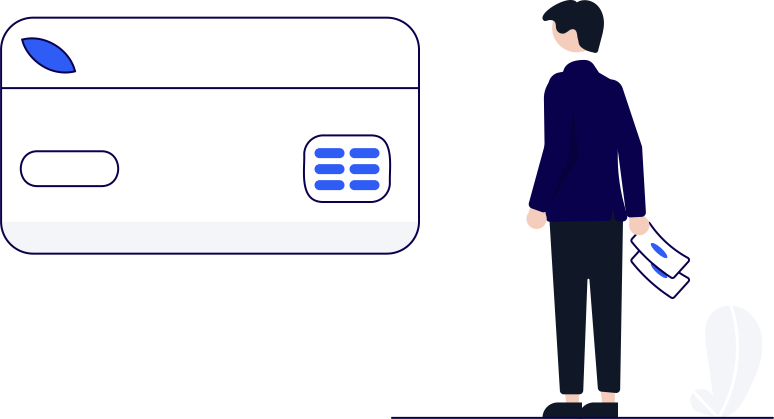
This is the gap that costs real money, and it is invisible in the returns report by design. A refund issued without a return does not create a row in the FBA Customer Returns report. Nothing appears. The unit is gone, the money is gone, and the report you are reading is silent about both.
Those cases live in your payments data and in the reimbursements report instead, with their own claim clocks. The windows are in our breakdown of every FBA reimbursement claim window, and they are the reason this check belongs on a calendar rather than in a bad week.
Q4 stretches all of it. For items bought between November 1 and December 31, 2026, Amazon extended the return window so most can be returned until January 31, 2027, with Apple brand products until January 15, 2027. Amazon says the policy will apply every year. A December refund can therefore become a February receipt, in a date range you already closed.
What people get wrong reading this report
Three things, repeatedly.
They filter by refund date instead of return date, and conclude units are missing when the rows are simply in the next window. They treat a blank or unknown reason as a data error, when it is a real value that sellers see often, and it is not grounds for a claim on its own. And they read the badge as a verdict on the product. It is not. Amazon notes the badges reflect only a subset of buyer initiated returns and update monthly, so a badge can lag a fix you made weeks ago.
If a returned unit has to be traced to its order, use the license plate number. The LPN sticker travels with the unit and is searchable in the returns report, which is the only reliable way to tie a box in a photo to a row in a file.
How to check you actually closed it
Pull the FBA Customer Returns report for the same date range twice, a week apart, and compare the unit count per ASIN. Rows arrive late, so the second pull is the real one. Then reconcile the refunds in the period against returned units received, and send the difference to the reimbursement path rather than to your write offs. If the difference is large for one ASIN, the cause is usually a listing or packaging problem, and the processing fee you are being charged on those returns is a second bill on the same cause.
That reconciliation is the whole job. The report tells you what came back. Your payments data tells you what was refunded. The gap between the two is either a claim or a leak, and it only shows up if somebody looks.
Sources
- Amazon Seller Forums (News_Amazon): Returns and Recovery Insights, now on new Seller Central sellercentral.amazon.com
- Amazon Seller Forums (Sakura_Amazon_): Uncover the Why Behind FBA Returns, a step by step guide sellercentral-europe.amazon.com
- Amazon Seller Forums (News_Amazon): View insights on your FBA returns sellercentral-europe.amazon.com
- Amazon Seller Forums (News_Amazon): Extended return window for items bought in November and December 2026 sellercentral.amazon.com

Hey! I'm Amara
Press at SellerKey.co
☕ Espresso. Never a latte macchiato.
I cover Amazon fee and policy changes: what changed, when it applies and where Amazon published it.