$1.00
minimum daily budget per Sponsored Products campaign, per Amazon Ads
$10
daily budget Amazon Ads recommends as a minimum in the US and Canada
25%
most a single day can exceed your average daily budget
Key takeaways
- Sponsored Products accepts a daily budget as low as $1.00, but Amazon Ads recommends at least $10 a day in the US, the UK and the euro zone.
- No Featured Offer means no impressions: an ad on a listing that does not hold the Featured Offer never serves.
- The daily budget is averaged over the calendar month, so one day can spend up to 25% more than the figure you typed.
- Launch with automatic targeting and no end date, then review the budget at least every two weeks.
- Charges begin once the account accumulates its first $1.00 in clicks.
Before you start
- An active Amazon professional seller account.
- A listing that is eligible for the Featured Offer on the ASIN you want to advertise.
- Stock in that listing: out of stock products are paused inside the campaign automatically.
- A daily budget you can leave running untouched for 14 days.
Step by step
- Open Campaign Manager in Seller CentralAmazon Ads tells sellers to go to the Advertising tab in Seller Central and select Campaign Manager. Vendors register through the Amazon Ads console instead.
Advertising > Campaign Manager - Click Create campaign and choose Sponsored ProductsSponsored Brands and Sponsored Display sit in the same flow, and Sponsored Brands needs an enrolled brand. For a first campaign, Sponsored Products is the one that runs on a single listing.
Advertising > Campaign Manager > Create campaign - Pick the products you will advertiseGroup similar items and keep the ones that hold the Featured Offer. One ASIN per ad group keeps the numbers readable at the first review.
- Name the campaign so you can find it laterPut the ASIN or the product family and the targeting type in the name. In three months you will have a dozen campaigns and no memory of which was which.
- Set the daily budgetThe console accepts $1.00. Amazon recommends $10 a day in the US and Canada, 10 pounds in the UK and 10 euros in the euro zone marketplaces. Remember the monthly average: a single day can go 25% over.
- Choose the duration with no end dateAmazon Ads recommends running the campaign immediately and leaving it without an end date. An end date mid month cuts the data you need to compare.
- Select automatic targetingAutomatic targeting lets Amazon match your ad to shopping queries from your product information. It is the recommended start, and its search term report is where your first manual keywords come from.
- Set your bid and launchUse the suggested bid as a starting point. The bid is the maximum you are willing to pay for a click, not what you will pay.
- Check delivery, then leave it alone for 14 daysConfirm the status reads as delivering and that impressions are not zero. If impressions are zero, the cause is eligibility and not the bid.
If you are looking at how to start Amazon PPC, the number that decides your first month is not the bid. It is the budget floor, and Amazon Ads publishes two of them. The minimum daily budget for Sponsored Products is $1.00 per campaign, or the equivalent in local currency. The minimum Amazon Ads recommends is $10 a day in the United States and Canada, 10 pounds in the United Kingdom and 10 euros in Germany, Spain, France, Italy, Belgium, Ireland and the Netherlands. Both numbers are true. The first is what the console accepts. The second is what buys enough clicks to learn something before the month closes.
What you need before you create your first Amazon PPC campaign
Two requirements stop more first campaigns than any bidding mistake.
The first is the account. Amazon Ads lists "an active Amazon professional seller account" as a condition for Sponsored Products. The second is the offer: listings advertised on Sponsored Products must be eligible for the Featured Offer. If your ASIN does not hold the Featured Offer, the ad does not serve, and there is nothing to optimize because there are no impressions. The same applies to stock: a product that goes out of stock is paused inside the campaign automatically.
Check both before you spend an afternoon on keywords.
How the daily budget actually spends
Sponsored Products is a cost-per-click auction. You set the maximum you are willing to pay for a click, and you are charged when someone clicks. Charges start once the account accumulates its first $1.00 in clicks.
The daily budget is not a hard daily ceiling. Amazon averages it over the calendar month, so a single day can spend up to 25% more than the figure you typed. With $10 a day, that is $12.50 on a busy Tuesday and around $300 across the month. Budgets reset at midnight, and a campaign that ran out of budget becomes eligible again at that reset.
That monthly average is the reason a $1.00 campaign teaches you nothing: one click can take the whole day.
A full example, end to end
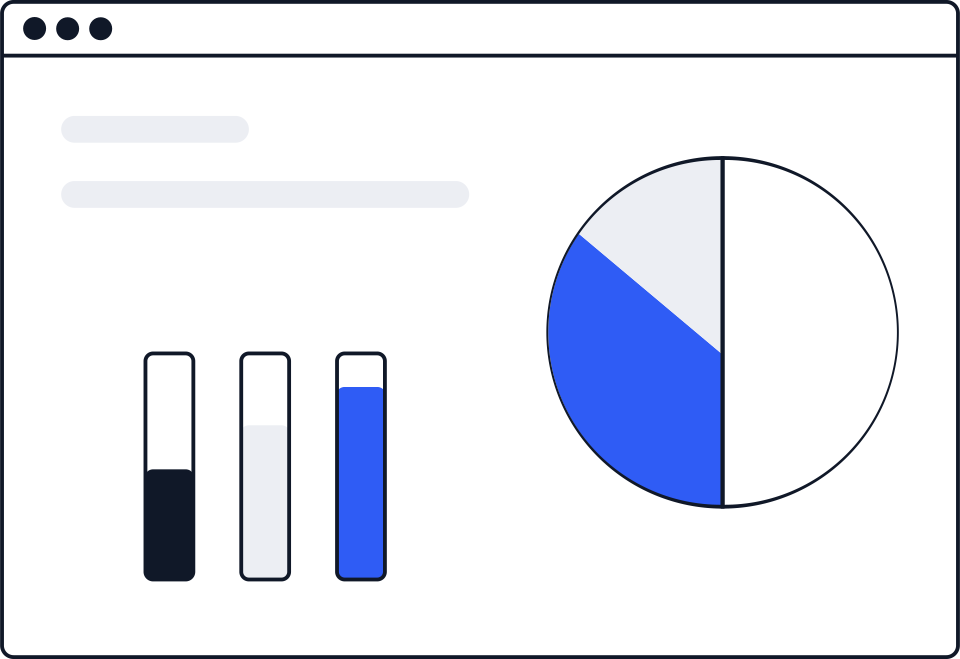
Say you set $10 a day for 30 days, so $300 for the month, with a maximum bid of $0.75.
Suppose the auction clears at an average of $0.52 per click. That is 576 clicks for the month. If 10 of every 100 clicks end in an order, you get 57 orders. At a $24 price, that is $1,368 in advertised sales and an ACOS of 21.9%.
Those conversion and cost-per-click inputs are yours, not Amazon's: the point of the first two weeks is to replace them with your real ones. Once you have them, the difference between ACOS and TACOS is what tells you whether the campaign is adding sales or renting them.
Why a new campaign shows zero impressions
Almost always one of four things. The ASIN is not the Featured Offer. The product is out of stock. The category or the product type is not eligible for advertising. Or the bid sits far under the suggested bid, which in a crowded category means the ad never enters the auction.
Note that a bid is a ceiling, not a price, and the final cost per click can still land above the bid you typed when adjustments apply. That mechanic is worth reading on its own in why your CPC can come out higher than your bid.
What to change after 14 days, and what to leave alone
Amazon Ads tells new advertisers to launch with automatic targeting and to run the campaign with no end date, then to review budgets at least every two weeks. That cadence is the useful part: two weeks of data on one setting beats four changes in four days, because you cannot attribute anything afterwards.
At the first review, look at the search terms the automatic campaign actually matched, not at ACOS alone. The terms that converted are the ones that belong in a manual campaign later, where Amazon suggests targeting at least 30 keywords and starting with broad match. For the detail on campaign types, bidding and placements, the full Amazon PPC guide to campaigns, bids and placements covers the layer above this one, and Sponsored Products compared with Sponsored Brands covers which format fits a brand that is not registered yet.
How to check it worked
Three checks, in this order. The campaign status reads as delivering. Impressions are not zero. The placement report shows clicks in more than one placement.
If all three hold after 14 days, you have a baseline. If the first two do not, the problem is eligibility, not strategy, and raising the bid will not fix it.
“You set the maximum amount that you are willing to pay when a customer clicks an ad for your product.”
Amazon Ads
Sources
- Amazon Ads: FAQs (presupuesto diario minimo de 1,00 $, elegibilidad del vendedor y cobro por clic) advertising.amazon.com
- Amazon Ads: Getting started guide for sponsored ads (minimos diarios recomendados por mercado) advertising.amazon.com
- Amazon Ads: Guide to Sponsored Products for new advertisers (ruta en Seller Central y pasos de creacion) advertising.amazon.com
- Amazon Ads: Sponsored Products budget basics and best practices (promedio mensual y el 25 %) advertising.amazon.com

Hey! I'm Amara
Press at SellerKey.co
☕ Espresso. Never a latte macchiato.
I cover Amazon fee and policy changes: what changed, when it applies and where Amazon published it.