100%
maximum bid increase with dynamic bids up and down
900%
maximum placement bid adjustment, on top of your bid
20 clicks
Amazon's threshold before judging a keyword
Key takeaways
- Amazon says to evaluate a keyword after at least 20 clicks before negating it, then leave that negative running for two weeks or more.
- Dynamic bids up and down can raise your bid by up to 100%, so a $1.00 bid can clear at $2.00.
- Placement bid adjustments go up to 900% and apply on top of the bidding strategy, not instead of it.
- Amazon recommends starting at a $10 daily budget and checking metrics at least twice a week during the first week.
- Campaign targeting is locked once the campaign is live: going from automatic to manual means building a new campaign.
Before you start
- A Professional selling account with an Amazon Ads login for the same marketplace.
- At least one Sponsored Products campaign live for two weeks, so the search term report has data.
- The featured offer on every advertised ASIN, in stock, with the detail page complete.
- Access to the search term, placement and targeting reports in Campaign manager.
Step by step
- Pull the search term report before you touch a bidIt lists the shopping queries that produced at least one click on your ad. That is the only place you see what shoppers actually typed, as opposed to what you targeted. Sort by orders, not by clicks.
Campaign manager - Promote the queries that sold into exact matchAmazon's guidance is to take the search terms with strong sales and conversion rates and add them as exact match in a manual campaign. Run the automatic campaign for about two weeks first, so the report has something to say.
Campaign builder › Targeting › Manual targeting › Keyword targeting - Wait for 20 clicks before you call a keyword badAmazon says to evaluate a keyword's performance after it has received at least 20 clicks before making it negative. Below that you are reading noise, and a keyword killed at 6 clicks is a keyword you never tested.
- Add the negatives as phrase or exact, never broadAmazon recommends phrase or exact for negative keywords. Negative phrase blocks queries containing the complete phrase or close variations; negative exact blocks the exact phrase or a close variation and nothing else. Campaign level negatives apply everywhere in the campaign; ad group level negatives only inside that ad group.
Campaigns overview › campaign name › Negative keywords - Leave the negatives alone for two weeksAmazon says to let negative keywords run for two weeks or more before changing strategy. They can be removed at any time, which is exactly why they get removed too early. Write down the date you added them.
ad group name › Negative targeting - Set the bidding strategy once, on purposeThree options: fixed bids, dynamic bids down only, and dynamic bids up and down. Up and down can raise your bid by up to 100%, so a $1.00 bid can clear at $2.00. Pick it for a campaign you want to scale, not for one you are still reading.
Campaign manager › campaign › Campaign Settings - Read the placement report before you move any placement percentageThe placement report compares top of search against the other placements. Placement bid adjustments go up to 900%, and they apply on top of the bidding strategy, so a modest adjustment on an up and down campaign is not modest.
- Match the daily budget to how often campaigns run dryAmazon recommends starting with a daily budget of $10 or equivalent. If campaigns often run out of budget, raise it. If they are overfunded, lower it. Set no end date so the campaign stays always on.
- Check the metrics at least twice a week in the first weekThat cadence is Amazon's own best practice for a new campaign. After the first week, the loop above is enough: report, promote, negate, wait.
Learning how to run Amazon PPC ads is not the same as learning how to launch them. Launching is a form you fill in once. Running them is a weekly loop over three controls Amazon documents in public: the bidding strategy, the placement adjustments and the negative keywords. The steps above are that loop. This part is why each step is there, and what breaks when it is skipped.
Why your bid is not what you pay
Two documented multipliers sit between the number you type and the number Amazon charges. The first is the bidding strategy. With dynamic bids up and down, Amazon states it will increase or decrease your bids by up to 100% for all placements based on performance: a $1.00 bid can clear at $2.00. The second is the placement adjustment. Amazon's best practice page for Sponsored Products says you can add placement bid adjustments up to 900%.
They stack, and that is the part that surprises people. An up and down campaign with a 50% top of search adjustment is not bidding 50% more than you typed. If you have ever opened Campaign manager and found a cost per click above your bid, the arithmetic is laid out in our breakdown of why the CPC you pay comes out higher than the bid you set.
Running Amazon PPC ads without guessing on keywords
The 20 click threshold is the single rule that changes the most for a seller running campaigns by hand. Amazon's guide to targeting with Sponsored Products says to evaluate a keyword's performance once it has received at least 20 clicks before making it negative, and to let negative keywords run for two weeks or more before changing strategy.
Both halves matter. Negating at 5 clicks throws away keywords that were only unlucky. Negating and then undoing it four days later means you never measured anything. The second mistake is quieter and more expensive, because it feels like work.
Pick phrase or exact for negatives. Negative broad does not exist for a reason: the match type that is loosest on the positive side is the one you least want deciding what to block.
The report that decides everything
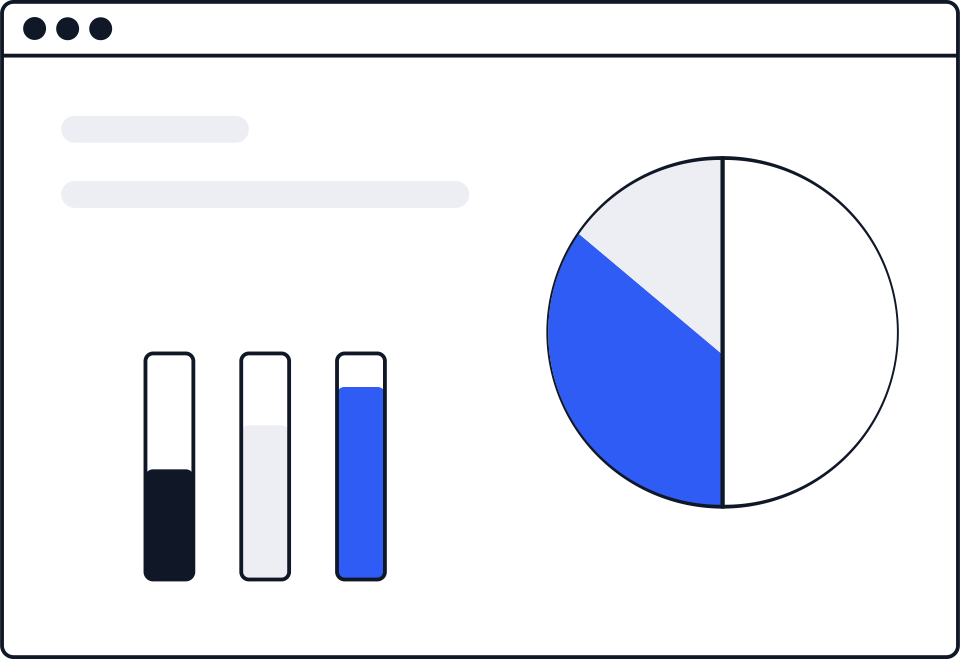
The search term report only shows shopping terms that resulted in at least one click on your ad. It is a record of spend, not of demand, which is why it is the right input for promoting winners and the wrong input for market research.
If your report comes back full of B0 rows instead of words, nothing is broken. Those are product targets from an automatic campaign, and we unpack them in why the search term report shows ASINs instead of keywords.
What to do when a step is not there
Targeting is locked after launch. Amazon's targeting guide is blunt about it: once the campaign is live, you cannot change the campaign targeting. If you set up an automatic campaign and now want manual keywords, you build a second campaign. You do not convert the first one.
If the Negative keywords tab is not where you expect, check which level you are on. Campaign level negatives live on the campaign itself; ad group negatives live on the ad group, under Negative targeting. Adding the same term in both places is harmless and common.
If a campaign spends nothing, the usual causes are a lost featured offer, an out of stock ASIN or a detail page that fails Amazon's eligibility checks. None of them are bidding problems, and raising the bid will not fix any of them.
Checking that the loop worked
Two weeks after a round of changes, compare the same window before and after on three numbers: clicks, orders and spend per order. If spend per order fell and orders held, the round worked. If orders fell with spend, you negated something that was selling. The structure of the campaign and where each cost lands is covered in what an Amazon PPC campaign is made of, and the wider mechanics in our Amazon PPC guide.
One caveat on measurement. Advertising cost of sale only sees the sales your ads touched. The total picture needs total sales, and the difference between the two metrics is not cosmetic.
SellerKey reads your Ads API and sales data and shows you the result: spend, advertising cost of sale and total advertising cost of sale per product, next to the margin that pays for it. It reports. It does not bid, pause or change anything in your campaigns.
“Once the campaign is live, you will not be able to change the campaign targeting.”
Amazon Ads
Sources
- Amazon Ads: Guide to dynamic bidding, up and down with Sponsored Products advertising.amazon.com
- Amazon Ads: Best practices for your Sponsored Products ads advertising.amazon.com
- Amazon Ads: A guide to targeting with Sponsored Products advertising.amazon.com

Hey! I'm Amara
Press at SellerKey.co
☕ Espresso. Never a latte macchiato.
I cover Amazon fee and policy changes: what changed, when it applies and where Amazon published it.